
Side-by-side review
The original sits on the left and the revision on the right, page beside page, in one scrolling view. Search, zoom, and page thumbnails are built in.
Free for Mac and Windows
PDF Diff puts the original and the revised document side by side and highlights every addition, change, and removal. It runs on your Mac or PC, so your documents never leave your computer.


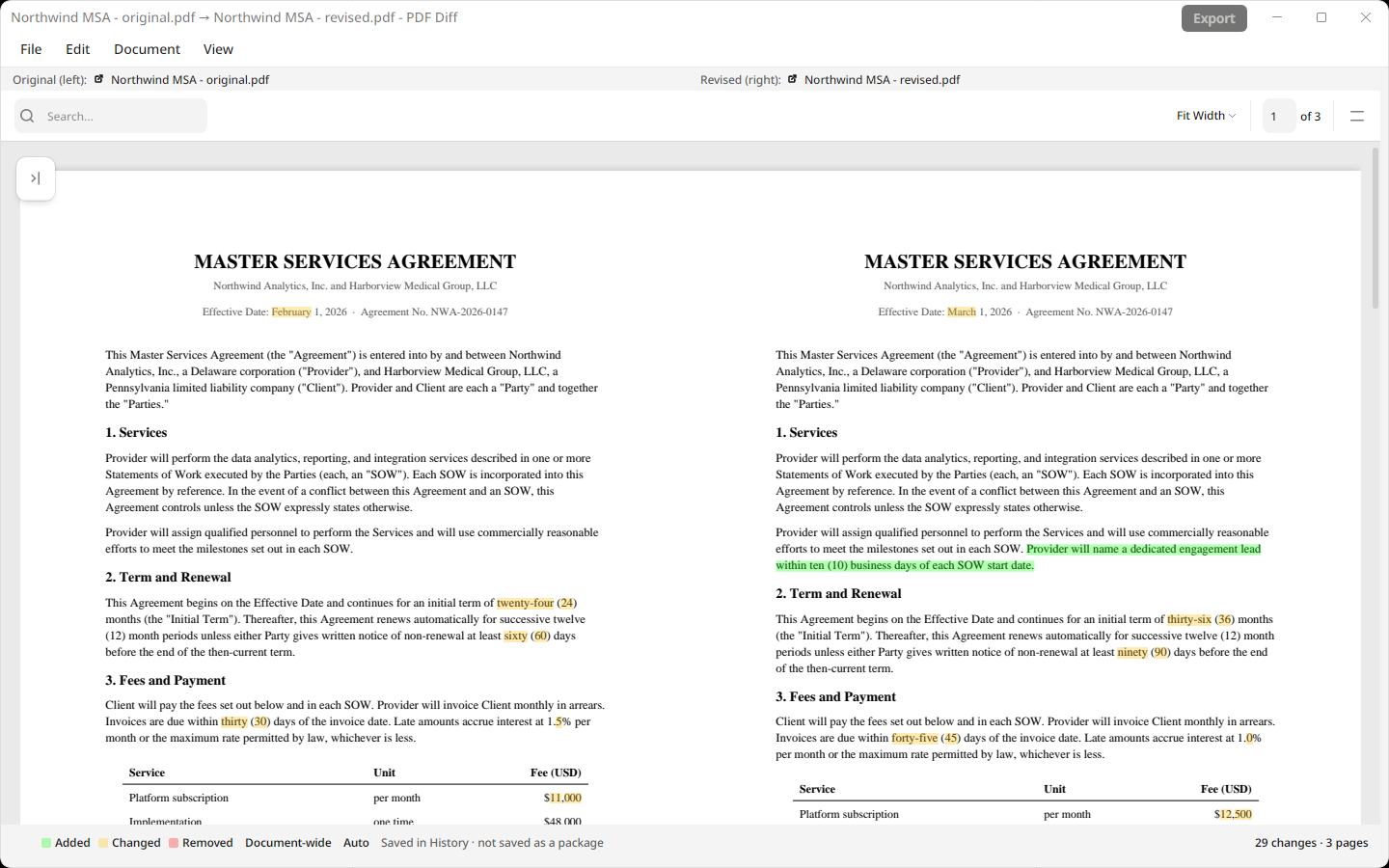
Three colours, used the same way on every page, so you can scan a fifty-page contract and know where to look.
Prefer other colours? Pick your own highlight colours and opacity in Preferences.
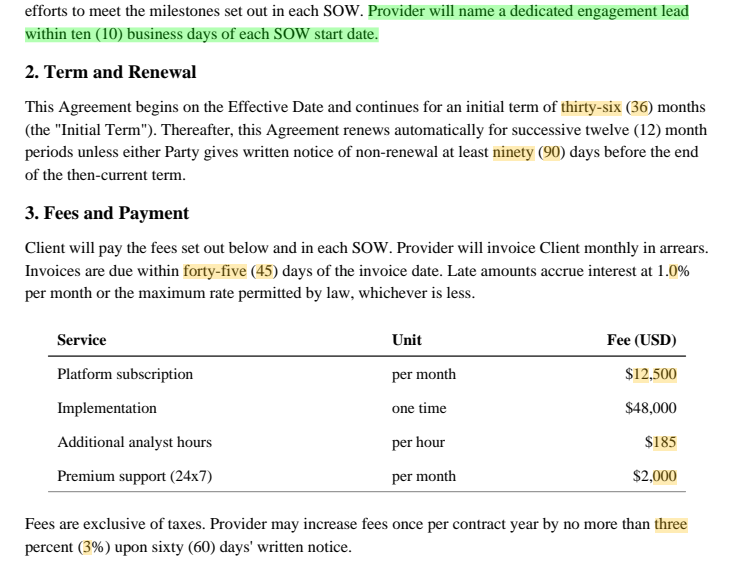
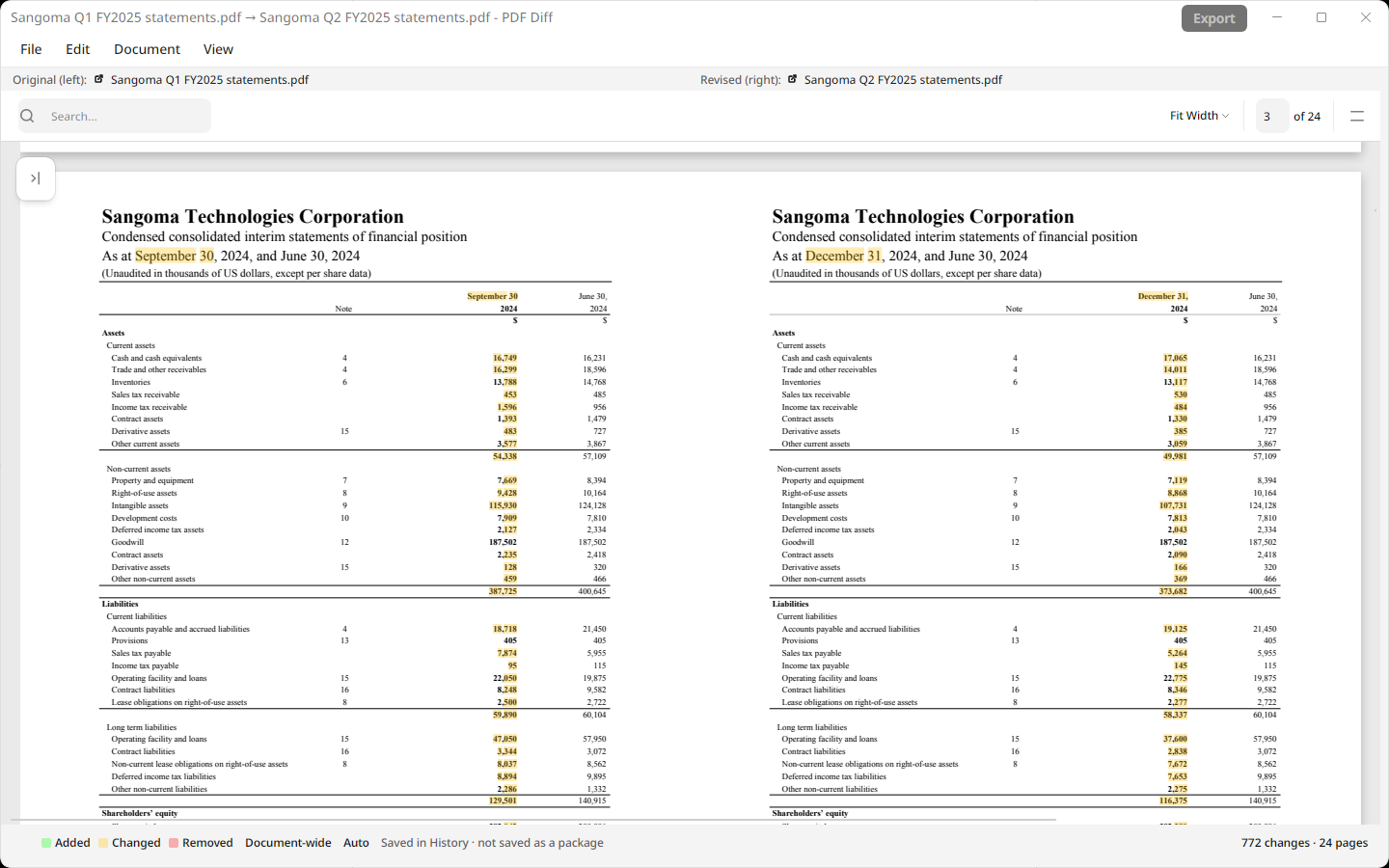
Contracts, financial statements, policies, and specifications: the documents where a single changed number counts.
The original sits on the left and the revision on the right, page beside page, in one scrolling view. Search, zoom, and page thumbnails are built in.
Inserted, deleted, or reordered pages don’t throw the comparison off. Auto alignment matches pages by their content using a model that runs on your computer. You can also choose reading order, flexible semantic, or page-number matching.
Drop in .docx, .xlsx, or .pptx files alongside PDFs. PDF Diff converts them to PDF on your computer before comparing, and tells you if any fonts had to be substituted.
Export a highlighted PDF with both versions side by side to send to a colleague or attach to a file. Or save the comparison as a .diffx file to reopen later.
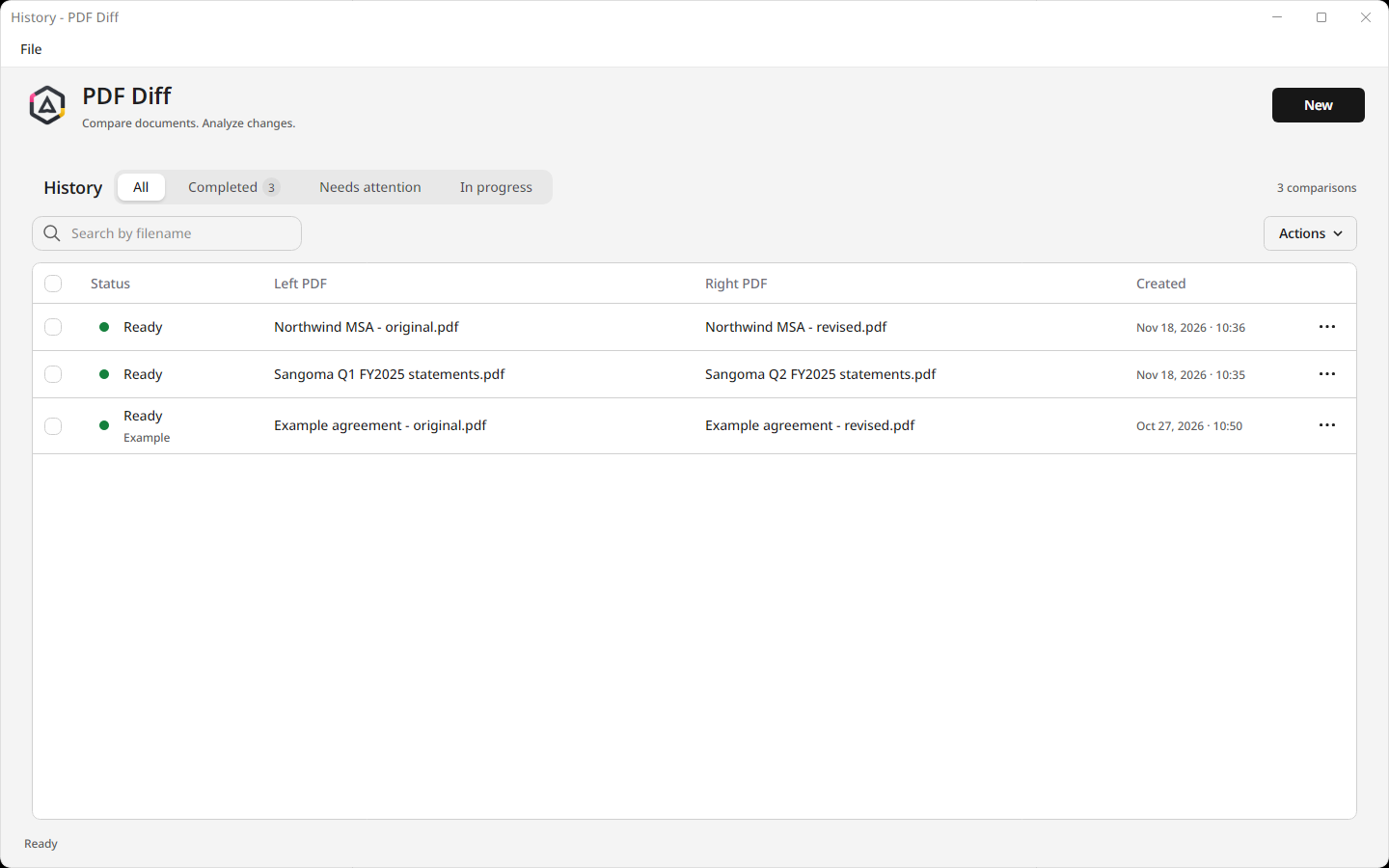
Start the next comparison while one is still running. Completed comparisons stay in History on your device, ready to reopen.
Match your operating system or pick a fixed theme for long review sessions. PDF pages always keep their original colours.
Drop the original on the left and the revised version on the right, or browse for them. Both are previewed before you start.
PDF Diff extracts the text, lines up the pages, and marks every difference, all on your computer.
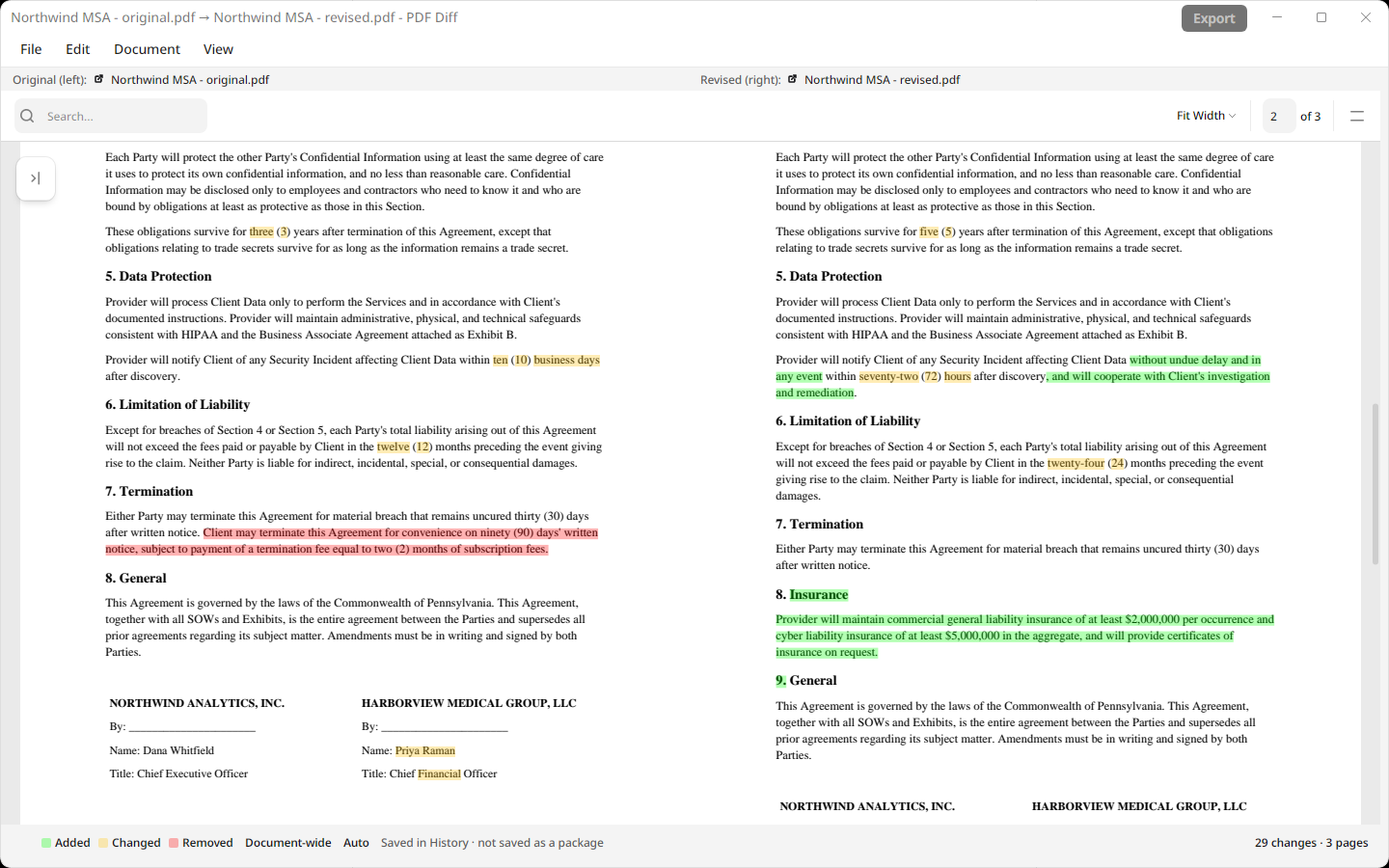
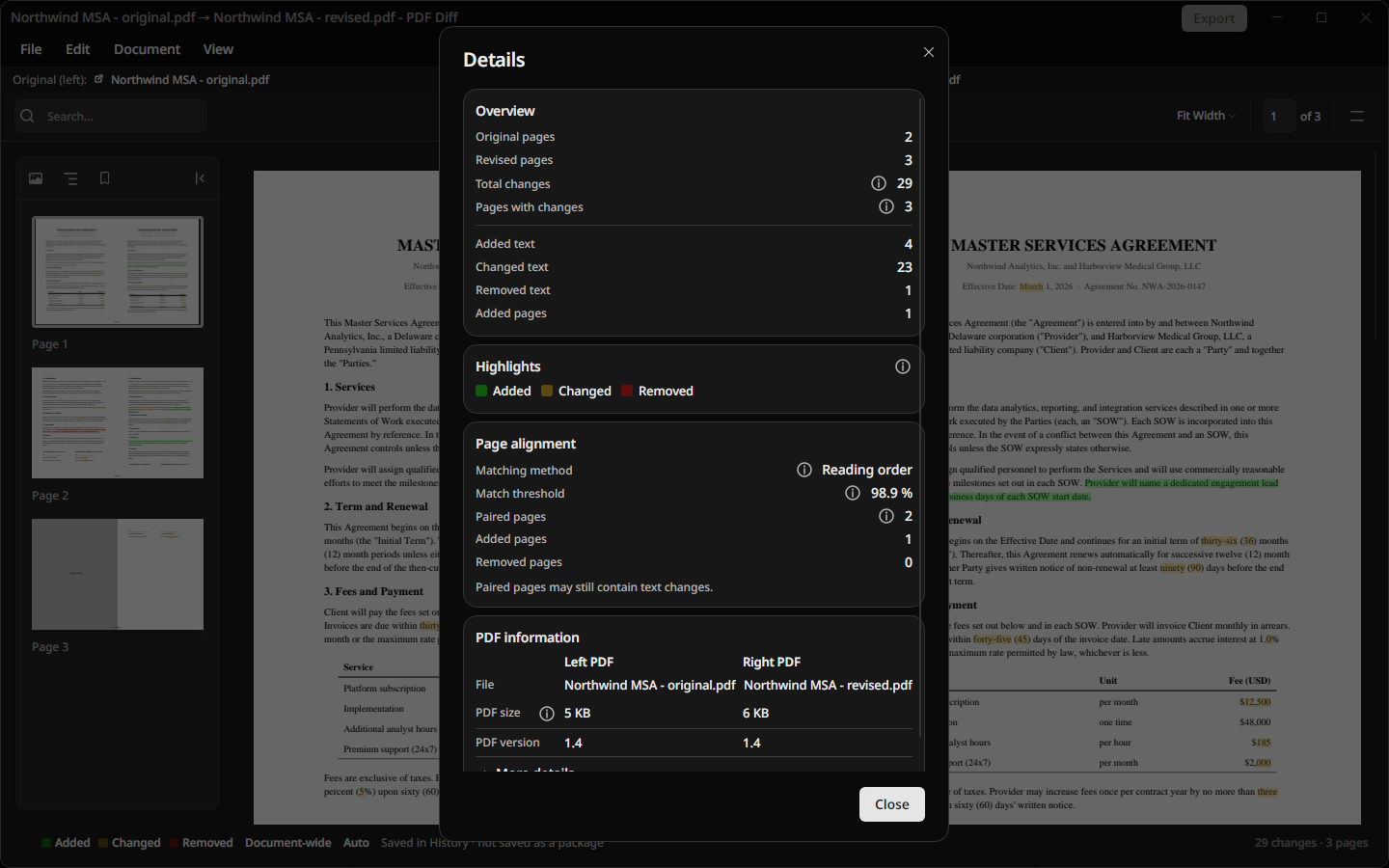
Scroll through the highlighted result, check the summary in Details, and export a highlighted PDF when you’re done.
Two versions of a fictional services agreement with changed fees, a removed clause, and a new section.
Text extraction, page matching, and comparison all run locally. PDF Diff doesn’t upload your files, extracted text, or results to Palm Hill or any comparison service.
Yes. PDF Diff is free on the Mac App Store and the Microsoft Store. There’s no account to create and no subscription.
No. Document processing and page matching take place on your computer. Your PDFs and comparison results are not sent to Palm Hill or a comparison service. App privacy details.
Yes. The installed app compares documents and matches pages locally. You need an internet connection only to download the app and receive updates through the store.
Auto alignment matches pages by their content, so it can follow changes when pages are inserted, removed, or moved. You can also choose reading-order, flexible semantic, or page-number alignment. Review the result when documents have substantial structural changes.
PDF Diff compares the text inside PDFs. For image-only scans, first use an OCR tool to add selectable text, then compare the resulting PDFs. It is not a pixel-by-pixel image comparison tool.
PDF, Word (.docx), Excel (.xlsx), and PowerPoint (.pptx). Office files are converted to PDF on your computer first. Older .doc, .xls, and .ppt files need to be saved in the newer format, and password-protected files need their password removed.
Yes. Export a separate PDF with the original and revised documents side by side and the changes highlighted, or save the comparison as a .diffx file to reopen in PDF Diff later.
macOS 12 or later · Apple Silicon (M1 or later) on Mac, and Windows 10 version 1809 or later, or Windows 11 · x64 on PC. See download details.
You can queue several individual comparisons in the app and review each one when it finishes. PDF Diff does not include a public API or an automated folder-batch mode.
PDF Diff compares extracted text locally and saves the result. Review the highlighted changes before relying on them.
| Option | When it fits |
|---|---|
| PDF Diff | You want free, local document comparison with a highlighted export on Mac or Windows. |
| Adobe Acrobat Pro | You already use Acrobat’s broader PDF toolset and its desktop Compare Files feature meets your needs. |
| Draftable Desktop | You need offline comparison and PDF export across formats such as Word, Excel, PowerPoint, and PDF. Review its current licensing options. |
| Custom scripts | You need a customized or automated workflow and can maintain the setup. Visual output depends on the implementation. |
Vendor information checked September 15, 2026. Follow the product links for current features and terms.
Free to install. Your documents stay on your computer.